
How to Switch Characters While Fighting in Slime Rebirth : Isekai Awakening
How to switch characters mid-combat in Slime Rebirth : Isekai Awakening — the party sidebar swap shown working in combat, plus the documented 1, 2, 3 Character Swap keys and what switching does to your skills.
Switching characters mid-fight in Slime Rebirth : Isekai Awakening is a single input away. The quick answer below carries the exact inputs and the conditions around them, and the sections after it break down both routes and what a swap does to your available skills.
Quick answer
Press 1, 2, or 3 — the game's documented Character Swap keys — or select another member in your party sidebar. A Survival run shows the sidebar swap working mid-combat, and switching brings the new character's skills with it.
- Character Swap sits on keys 1, 2, and 3 in the game's PC control list.
- The party sidebar is the select-based route: in a Survival run, a player went from Rimuru Demon Lord to Shuna and then to Gobta mid-fight.
- You can only swap to characters who are in your equipped party.
How to swap characters mid-fight
The keyboard route comes straight from the game's control listing: Character Swap [1,2,3]. Pressing 1, 2, or 3 swaps your character. The swap keys sit alongside the rest of the combat controls on the same list — movement on W, A, S, and D, Dash on Q, Run on Ctrl, Shiftlock on Shift, Attack on M1, and Skills on Z, X, C, and V — and they are PC keyboard and mouse inputs. The full list lives on the combat controls page.
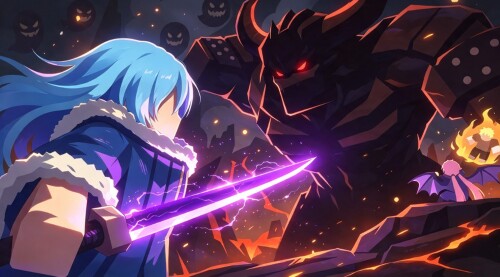
The sidebar route does the same job by selecting instead of pressing. In a recorded Survival run, the player moved control from Rimuru Demon Lord to Shuna, then on to Gobta, through the party sidebar while the fight was live — and each swap brought the new character's skill set with it. That run also shows switching is not just an out-of-combat convenience: it happens while enemies are on you.
Your skills swap with your character
The skills you cast belong to whoever you are controlling at that moment, and you fire them on the skill keys Z, X, C, and V. In that same Survival run, the Z key released fire-based slashes, including the Purple Flame slash — the thread-bound technique that curves.
That makes switching a moveset change, not just a new model on screen. Mid-fight, the player decided a switch was in order, moved over to Shion, and found a set of attack skills where he half-expected a healer's kit — whatever the character you take control of has is what you will be casting. So if you want a different set of skills in a fight, the way to get them is to swap character; casting harder will not change your kit. The skills page goes deeper on the skill keys.
Why switching is worth using
Combat in Slime Rebirth : Isekai Awakening centers on spamming your active character's skills rather than on blocking or parrying. Since your offense comes from whoever you currently control, switching to the right equipped member is a main way to change your attack pattern mid-fight: instead of a defensive answer, you swap in a member whose kit suits what you are fighting. The combat guide covers the wider system.
You can only swap to your equipped party
Mid-fight swaps reach the characters you placed in your equipped party, so your options in a fight are decided before it starts. Set your lineup with the party setup guide, and if you are still deciding which members belong together, the team building page covers that choice.
Related Guides
Combat Controls: Attack & Swap Keys
Attack with M1, fire skills with Z, X, C and V, swap with 1, 2 and 3, and read HIT/DMG popups.
Skills Guide: Battle Keys & Upgrades
The Z, X, C and V skill keys, how character swaps change your skills in battle, and Ascension upgrades.
Combat Guide: What a Fight Is Like
What you actually do in a fight, and how your party, skills and mid-battle swaps change battles.