
Slime Rebirth : Isekai Awakening Combat Controls: Attack, Skills and Swap Keys
The full control list for Slime Rebirth : Isekai Awakening: attack with M1, fire skills with Z, X, C and V, swap characters with 1, 2 and 3, and read HIT/DMG popups to confirm your attacks landed.
To attack in Slime Rebirth : Isekai Awakening, press M1 — mouse button 1, your left click. Skills go off with Z, X, C and V, character swaps use 1, 2 and 3, and you get around with the usual W, A, S, D. You know an attack went off from the feedback the game puts on screen: HIT and DMG popups appear as hits and damage register during combat, alongside a wave counter (for example, 1/7 WAVE, 2/7 WAVE) that tracks how far into the battle you are.
Every listed combat control
| Action | Input |
|---|---|
| Move | W, A, S, D |
| Dash | Q |
| Run | Ctrl |
| Shiftlock | Shift |
| Attack | M1 (mouse button 1) |
| Character swap | 1, 2, 3 |
| Skills | Z, X, C, V |
These are the game's listed keyboard-and-mouse bindings, and they are PC-style controls — the list does not document touchscreen equivalents, so this is the layout to learn on keyboard and mouse.
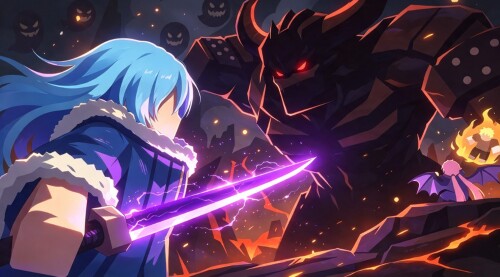
How you know the attack went off
The game shows you immediately when your inputs connect. As combat plays out, HIT and DMG popups appear over the action whenever hits and damage register, so a landing attack is visible on screen rather than something you have to guess at. This is combat-wide feedback — the popups show up during battles in general, not as a signal reserved for the basic attack — so you are reading the same cues whether the damage came from an M1 swing or a skill.
Battles also make your progress visible. In the early Great Jura Forest Act 1 fights, combat runs across numbered waves, shown by a counter such as 1/7 WAVE climbing to 2/7 WAVE as the fight moves through its seven waves. The counter tells you where you stand in the battle, while the popups inside a wave tell you your current hits and damage are registering.
Basic attack versus skills
M1 is the basic, manual attack — the swing you use for straightforward damage. Everything past that lives on Z, X, C and V. Pressing one triggers the matching skill of your currently controlled character: in one recorded Survival run, the player pressed Z and the character answered with a fiery slash skill animation.
Which skill each key holds is not fixed across the roster. Skill names and effects vary from character to character, and the listed controls do not break down the individual assignments for the four keys — so the Z that produces a fire slash for one character does something different for the next one you bring in. For more on the skills themselves, see the Slime Rebirth : Isekai Awakening skills page.
Swapping characters mid-fight
The number keys 1, 2 and 3 are bound to your party sidebar. Pressing one hands control to that party member on the spot — live combat swapping has been shown moving control from Rimuru Demon Lord to Shuna and then to Gobta without leaving the fight.
The important consequence: the skill set changes with the active character. Z, X, C and V stay in the same place on the keyboard, but the skills they trigger now belong to whoever you just switched to, so a swap changes both who is on the field and which moves your four skill keys produce. The switch characters guide goes deeper on swapping.
Putting the controls together
In a fight, the loop looks like this: move with W, A, S, D, dash with Q or run with Ctrl to get where you need to be, and use Shift when you want Shiftlock on. Damage comes from M1 for basic attacks and Z, X, C, V for skills, while 1–3 lets you put a different party member — with a different skill set — into the action at any moment. Keep an eye on the wave counter to see how much battle is left, and on the HIT/DMG popups to confirm your inputs are landing.
If you are new to the game, the beginner guide covers the first steps, and the combat guide puts fighting in the wider context of building and progressing your team.
Related Guides
Skills Guide: Battle Keys & Upgrades
The Z, X, C and V skill keys, how character swaps change your skills in battle, and Ascension upgrades.
How to Switch Characters in Combat
The party sidebar swap shown working in combat, the 1, 2, 3 keys, and what switching does to your skills.
Combat Guide: What a Fight Is Like
What you actually do in a fight, and how your party, skills and mid-battle swaps change battles.